Clients can add new tasks directly to a project board, making it easy to send new requests without peppering your team with emails and keeping everything in one place. First up, let’s start with the client experience;
From the client side of a project board:
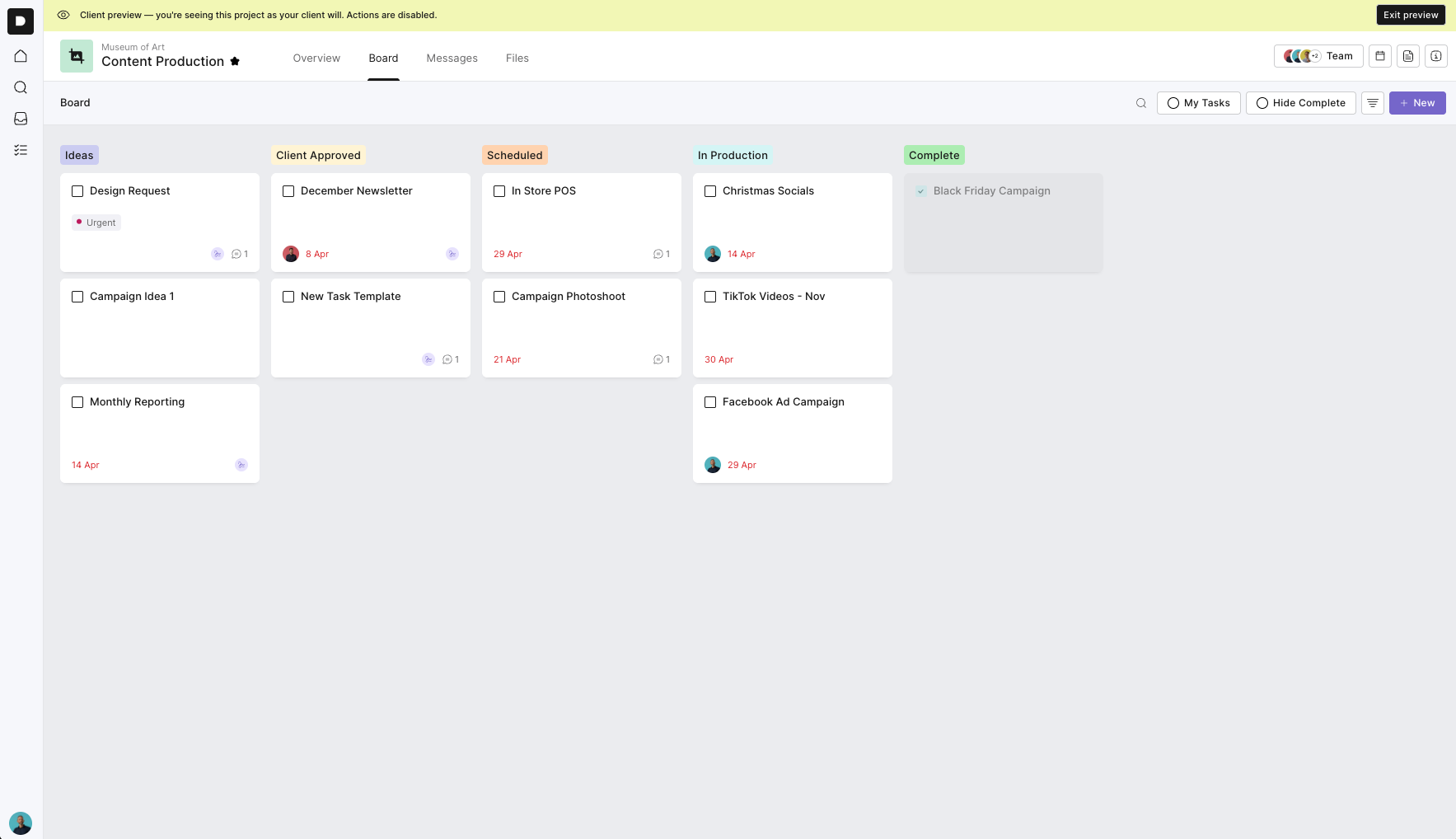
Click New.
Select New Task.
Choose the task template that best matches your request.
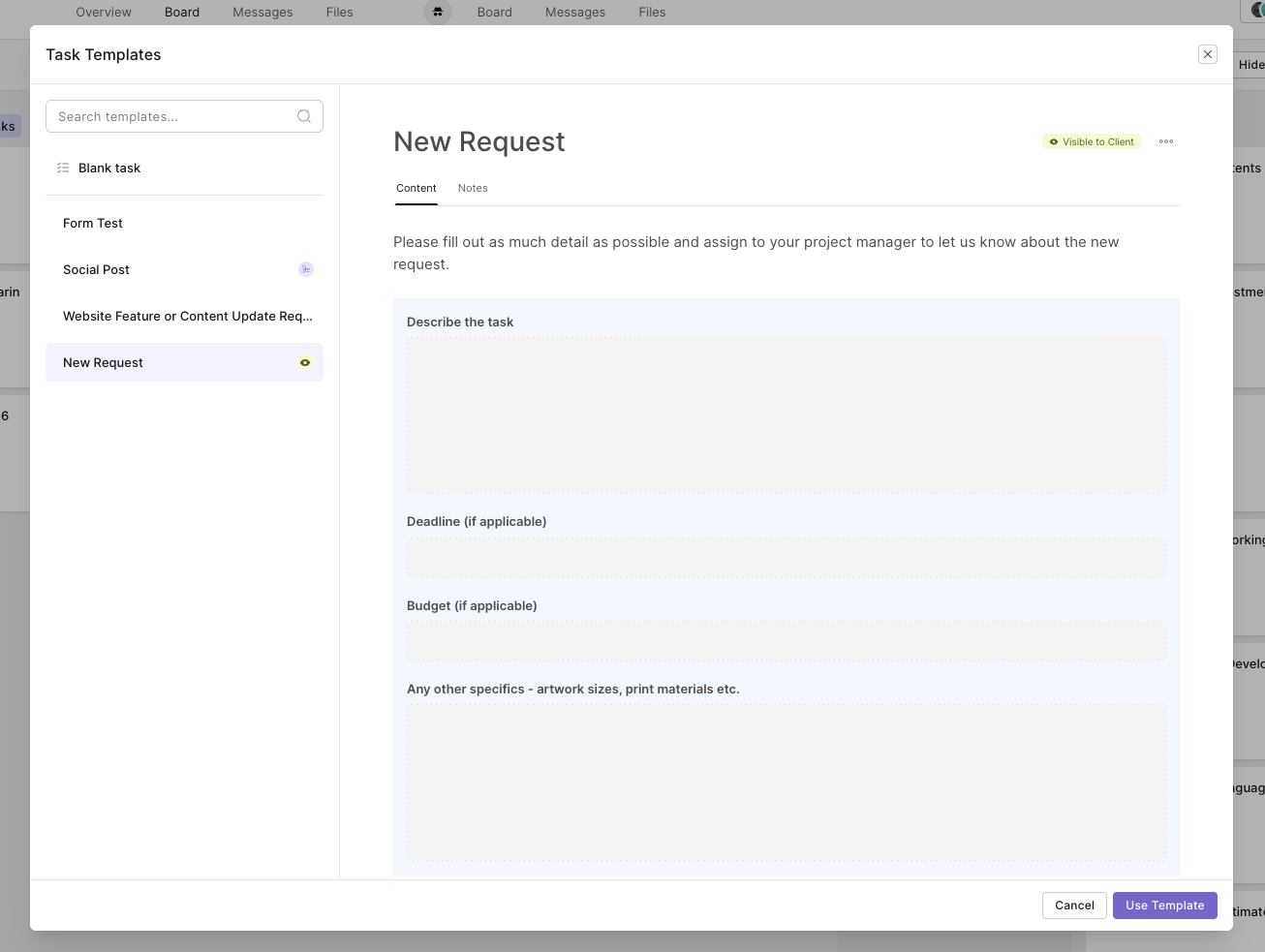
Preview the template to make sure it’s the right one.
Click Use Template.
Give your new task a name.
Fill in the details and add any files or information the agency will need.
Add an assignee and due date if needed.
Your new task will then appear on the project board, ready for the agency to pick up.
Not every request will fit neatly into a template. That’s why every account includes a Blank Task option by default.
This gives clients a clean starting point where they can name the task, explain what they need and attach any relevant files.
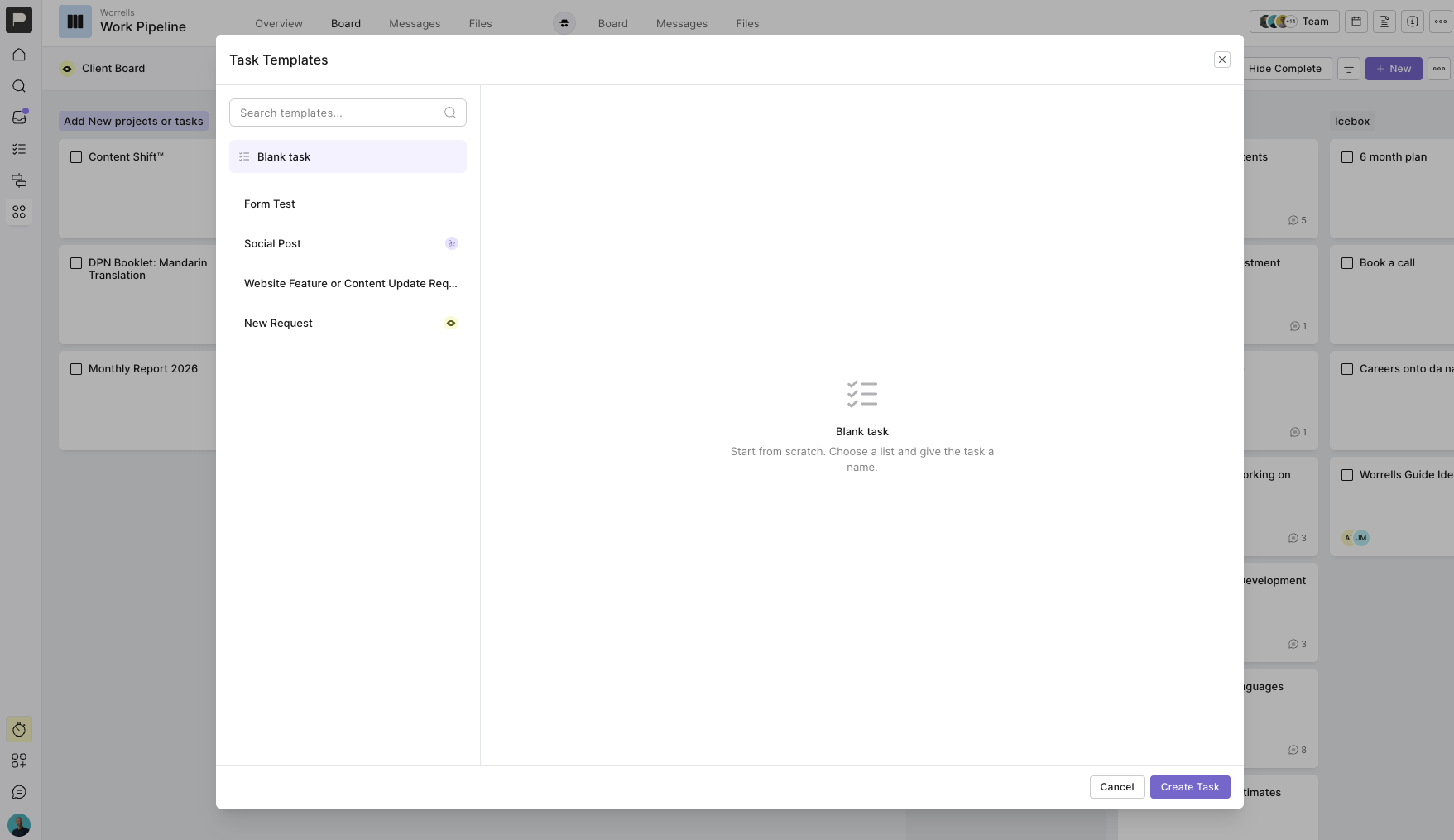
For the requests that come up regularly, agencies can create task templates for clients to choose from.
These might include things like:
Request a new social post
Request a website update
Ask for a quote on a new project
Request a new design or marketing asset
Send through content changes
Report a website issue
Request an email campaign
Submit a brief for a new piece of work
Each template can be set up with the questions, instructions and information the agency needs to get started. The client simply chooses the right template, fills in the details and adds the task to the board.
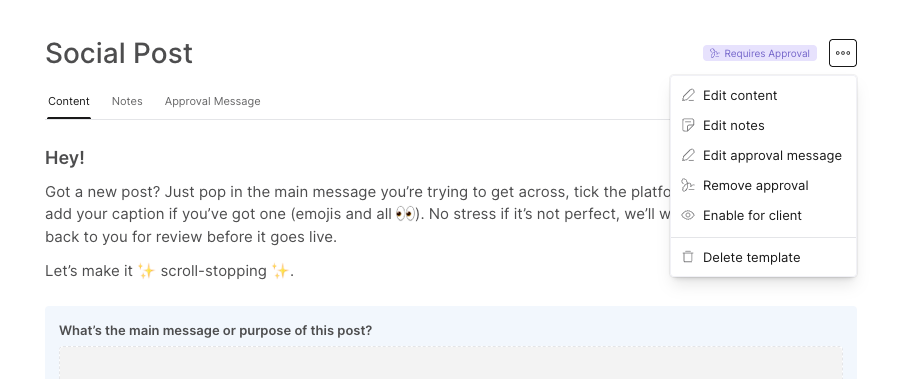
Just make sure you set task templates to ‘enable for client’ so that the client can access these. On the flip side, make sure you keep any templates that are private ‘make internal only’ so only agency users can see these.
Templates make life easier for everyone.
Clients get a clear and simple way to send through new work without wondering what information they need to provide. Agencies receive a better brief from the beginning, with the request already sitting in the right project and ready to be assigned, scheduled and tracked.
It also means fewer requests getting lost across emails and messages, less time chasing missing details and a much clearer record of what was requested.