
When it comes to scheduling your team’s week in Outlign, a little planning goes a long way. In our own agency, we’ve refined a simple but super effective weekly routine to make sure every project is covered and every team member is set up for a productive (and manageable) week.
Here’s how we do it.
Step 1: Set aside 45 mins every Friday
Every Friday, our two senior project managers sit down for 45 minutes to plan out the upcoming week. That’s it. No long meetings or daily check-ins , just one focused session to get ahead of everything.
This session happens at the end of the week so we’re working with the most up-to-date picture of what’s done, what’s coming, and how the team is tracking.
Step 2: Start with the Projects view
We begin in the Projects view and work through each live project one by one.
For each project, we:
Plan the work that needs to happen
Assign the right team members
Estimate time for each task based on scope and priority
Confirm due dates
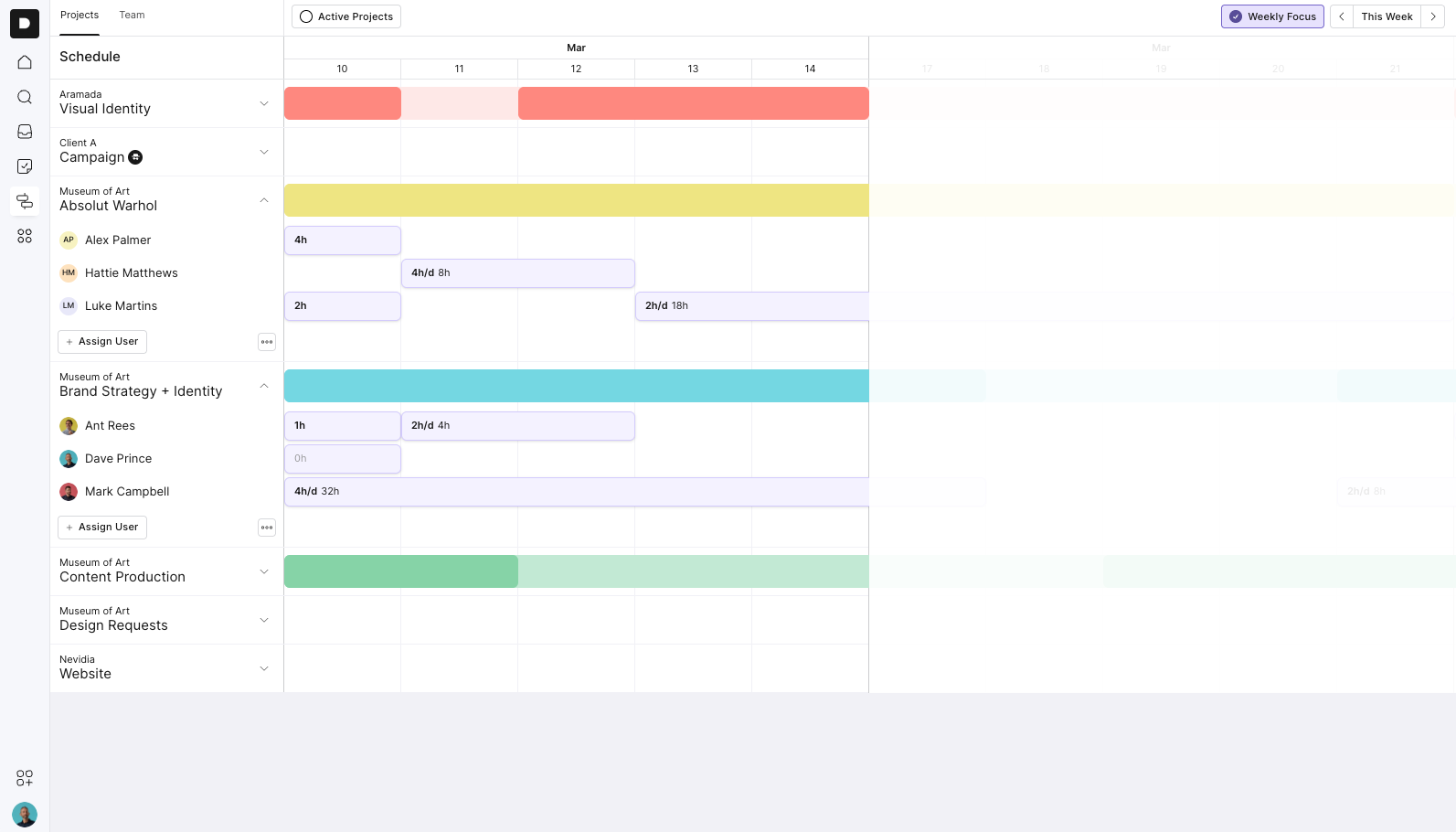
This gives us a clear sense of what work needs to happen across all projects for the week.
Step 3: Switch to the Team view
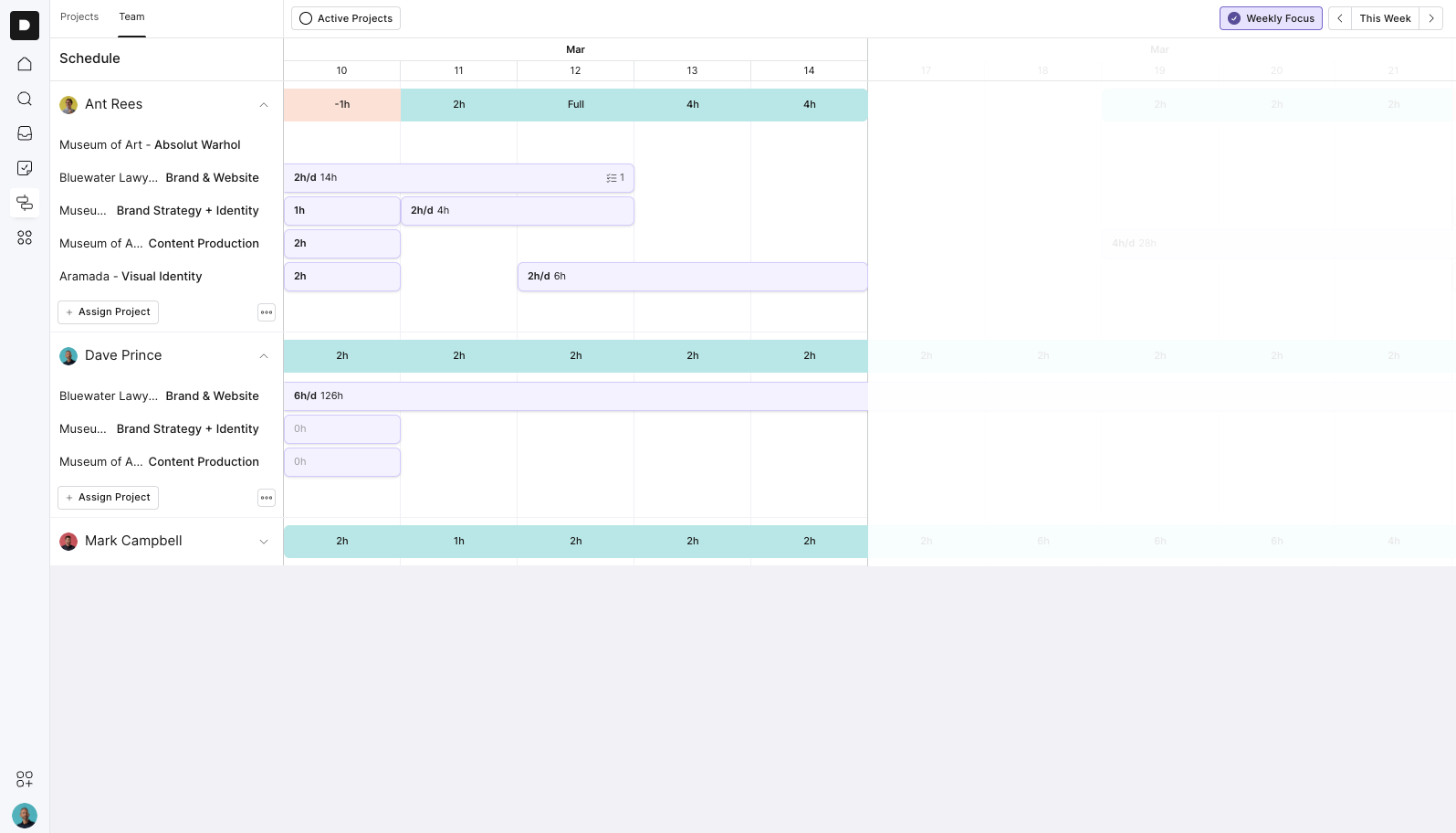
Once we’ve assigned and estimated tasks across projects, we jump into the Team view. This is where we “smooth out” the week.
Here, we:
Review each person’s daily workload
Adjust task timing if someone’s overbooked or underbooked
Aim to balance the week at 6 billable hours per person, per day
This helps us keep things realistic and avoid burnout. It also makes any gaps really obvious,so we can quickly assign extra work or adjust priorities as needed.
💡 Pro Tip: Need to adjust someone’s weekly capacity?
If a team member is part-time, on leave, or just needs a lighter load for the week, you can change their available hours.
Just click the three dots next to their name in the Team view, then select Manage Capacity.
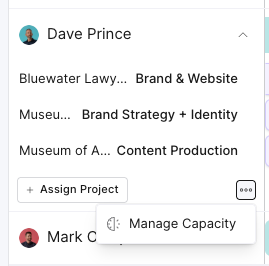
From there, you can set their daily capacity for the week, super handy for making sure your plans match real availability.
💡 Pro Tip: Block out holidays and time off with an "Out of Office" project
To keep scheduling accurate during holidays or time off, we use a simple trick:
Create a project under your agency called Out of Office
Assign the person who’ll be away
Add the number of hours they’ll be unavailable (typically their full working hours for that day)
This automatically shows their time as unavailable and adjusts their capacity in the Team view, so you don’t accidentally schedule over it.
Why this works for us
We get a clear view of both project needs and team availability
It avoids last-minute scheduling stress
We spot problems early and solve them before the week starts
Everyone on the team has clarity going into Monday
Quick Tips
Keep it consistent: Doing this every Friday turns it into a quick habit.
Aim for 6 hours/day: That leaves breathing room for meetings, emails, and unexpected fires.