What Project Info Is For
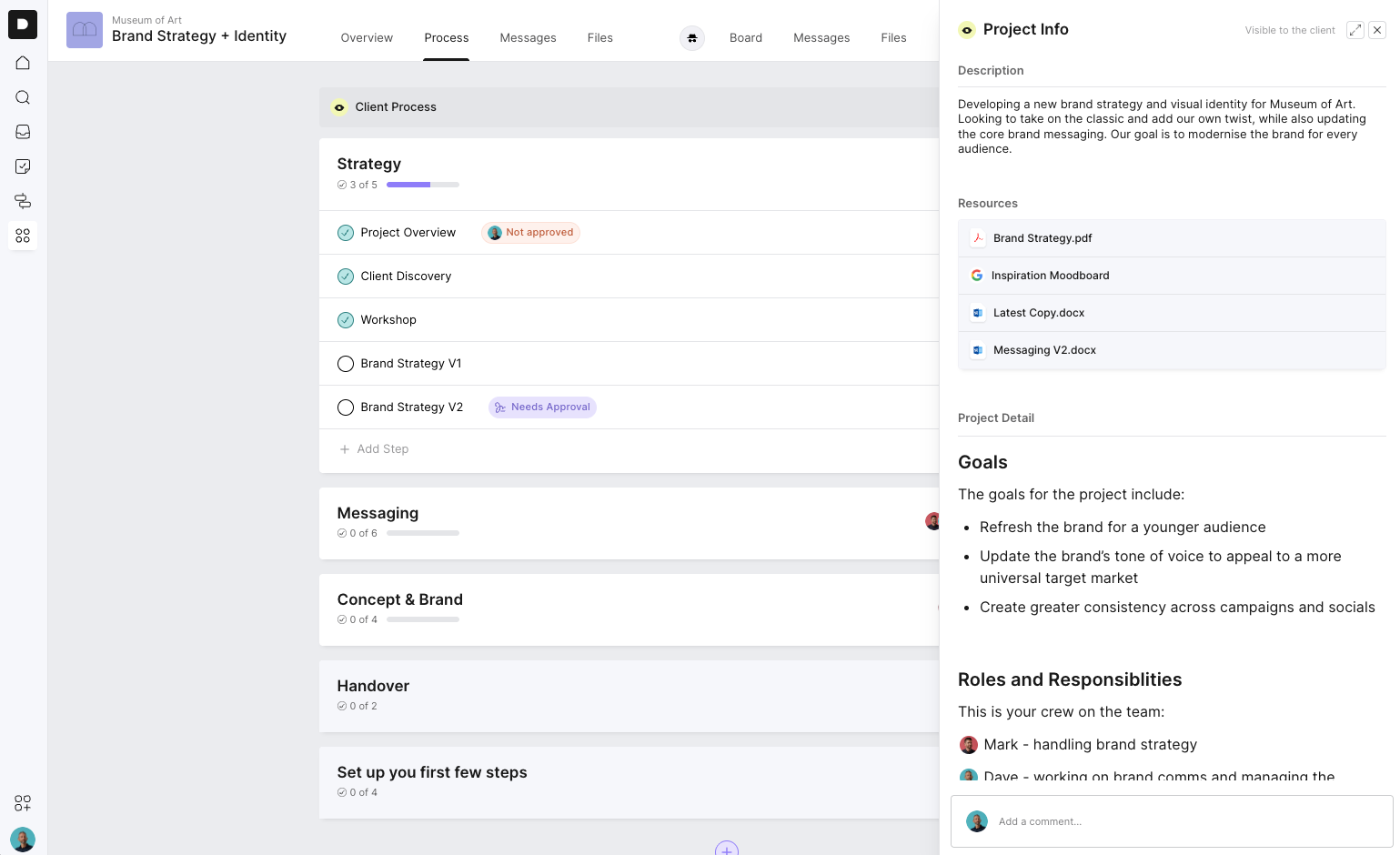
Project Info is designed to hold the “project vitals” — the information that sets the stage for the work ahead. It gives both your team and your client a single place to understand what the project is about, what’s important, and where to find essential resources. It’s flexible by design, so you can structure it in a way that suits your project and your client.
Common uses include:
A high-level project description
Background or business context
Links to important assets or documents
Scope of Works
Brand strategy documents
Important URLs or shared drives
Project goals
Key contacts
Roles & responsibilities
It’s essentially a centralised reference point for everything the client needs to know before diving into the tasks.
Where to Find Project Info
You can access Project Info in two ways:
1. The Info Icon (top right)
Click the information (i) icon in the top-right corner of any Process or Board project.
This opens the slide-out drawer with your project description and key resources.
2. The Overview Shortcut (top left)
On the project overview screen, you’ll see a Project Info shortcut in the top-left corner.
Click the arrow to open the full view, which expands into a larger layout for reviewing more detailed content.
Both the drawer and full view display the same information — the full view just gives you more room when reading or reviewing content with the client.
Project Info Is Client-Visible
Everything you place in Project Info is visible to your client.
This makes it ideal for:
Onboarding clients
Communicating expectations
Providing a clear starting point
Giving them the key documents they’ll refer back to throughout the project
Why This Feature Matters
As projects grow, details and documents can get lost between emails, chats, or tasks. Project Info brings the most important pieces together — the “big picture” elements that anchor a project — so the whole team and the client always have the essentials at hand.