Outlign includes a built-in chat feature for quiet, asynchronous team conversations.
It’s designed to support good work, without pulling you out of focus all day.
This isn’t chat built to demand your attention. It’s there when you need it, and stays out of the way when you don’t.
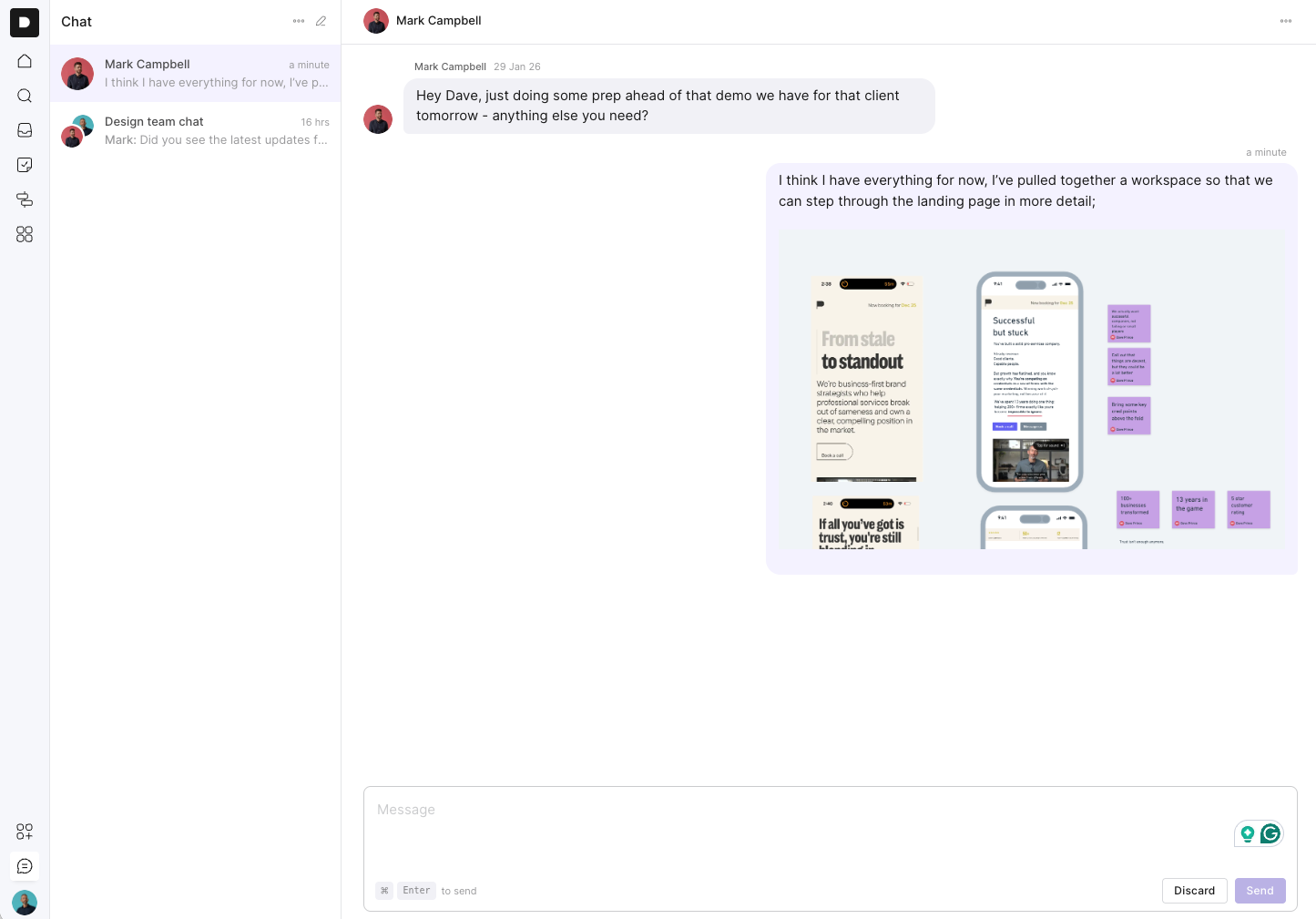
Most chat tools are noisy by default.
They ping. They interrupt. They pull you out of whatever you’re working on and push you into reaction mode.
Chat in Outlign is deliberately different.
It’s designed to be calm and non-interruptive. When someone messages you, you’ll see a small notification dot in the left-hand menu. That’s it. No pop-ups. No constant alerts. No pressure to reply immediately.
You check chat when it suits you, respond when you’ve had time to think, and then get back to your work.
It’s chat that respects your focus.
Chat in Outlign is internal. It’s for your agency team.
Clients can’t access chat, and that’s very intentional.
We’ve seen that real-time chat with clients often creates unhealthy expectations. Once clients have instant access to your team, there’s an assumption that answers should come straight away, even when the team isn’t ready to respond.
In reality, the best responses usually come after a bit of thinking, alignment, or planning. Sometimes that’s later in the day. Sometimes it’s the next day.
Outlign’s chat supports that way of working.
You’ll find chat in the bottom-left corner of Outlign.
Just click the chat icon above your profile avatar to open it.
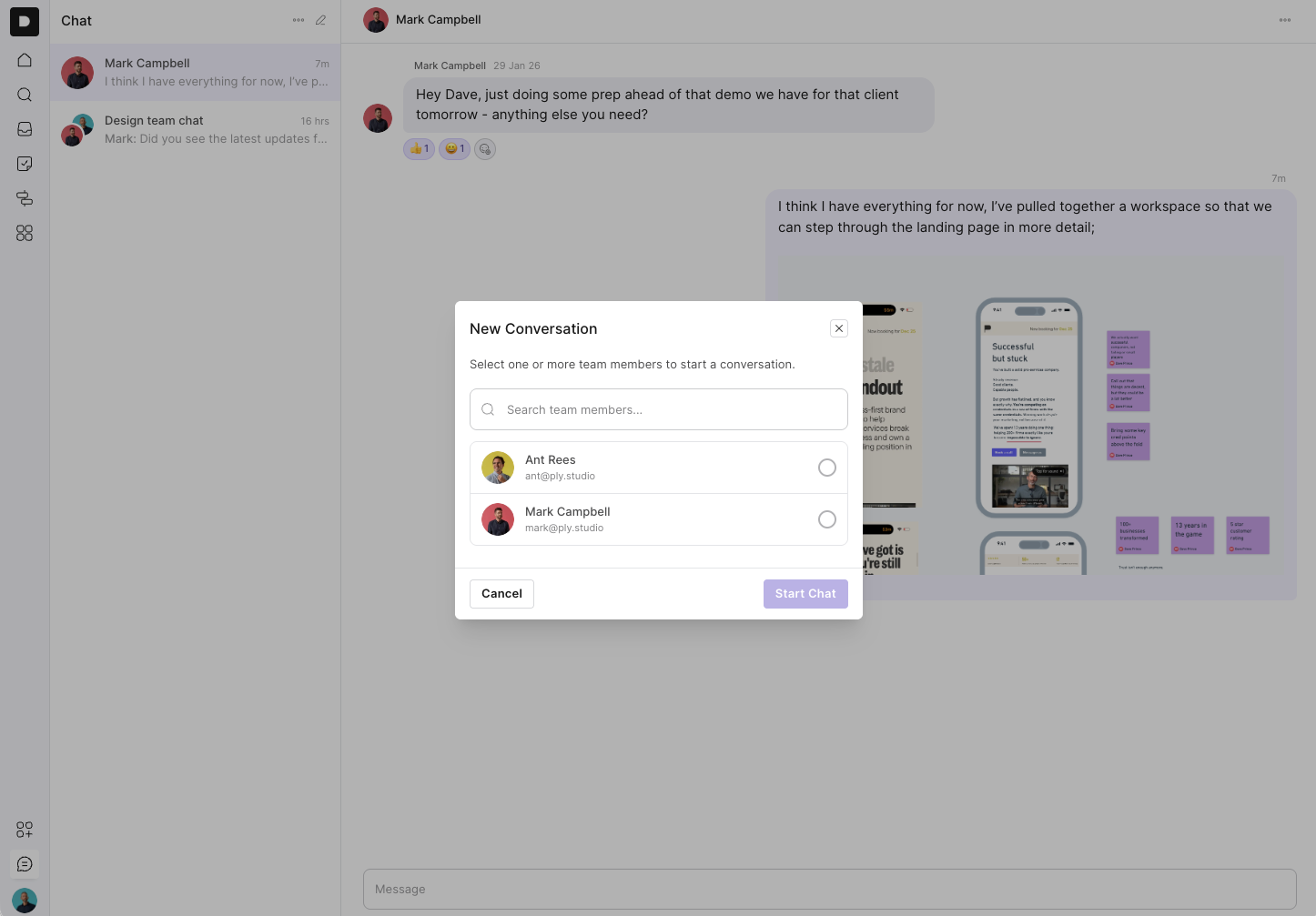
To start a new chat, click the pencil icon to create a new conversation.
From there, you can select one or more team members from the list. You can also search for teammates by name.
If you select multiple people, you can turn it into a group chat. For example, you might select three designers and name the group “Design Team”.
Once you’re happy, click Create Group, and the conversation will appear in your left-hand sidebar.
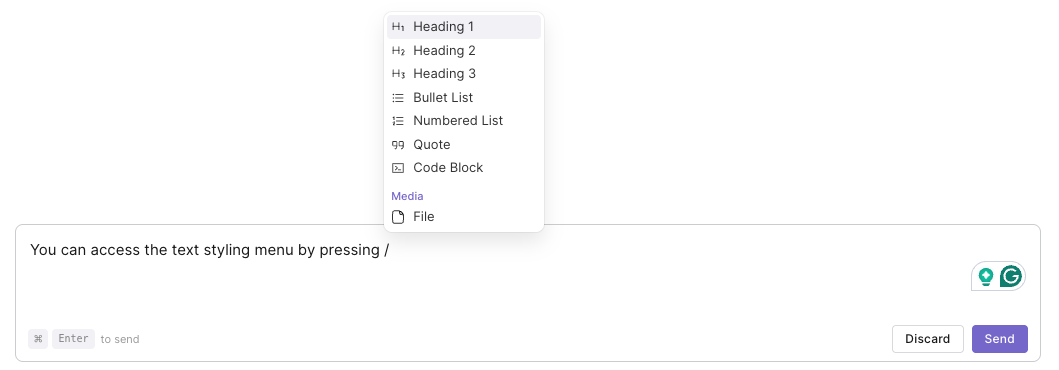
Inside a chat, just type your message and press Enter to send.
The editor supports formatting, so it’s easy to keep things clear. You can use headings, bullet lists, numbered lists, quote blocks, and code blocks. You can also drop in files, screenshots, links, and other attachments.
It’s built for proper messages, not rushed one-liners.
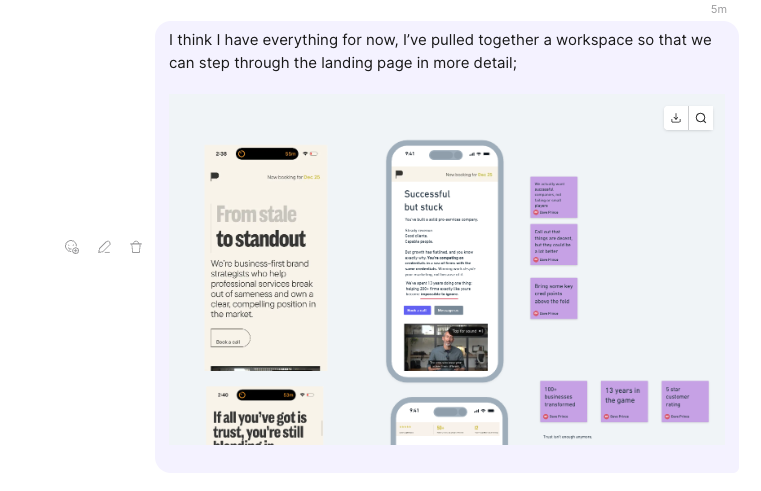
If you need to make a change, that’s easy.
Hover over a message to see the available actions. From there, you can edit the message, delete it, or react to it.
There are a couple of simple ways to stay organised.
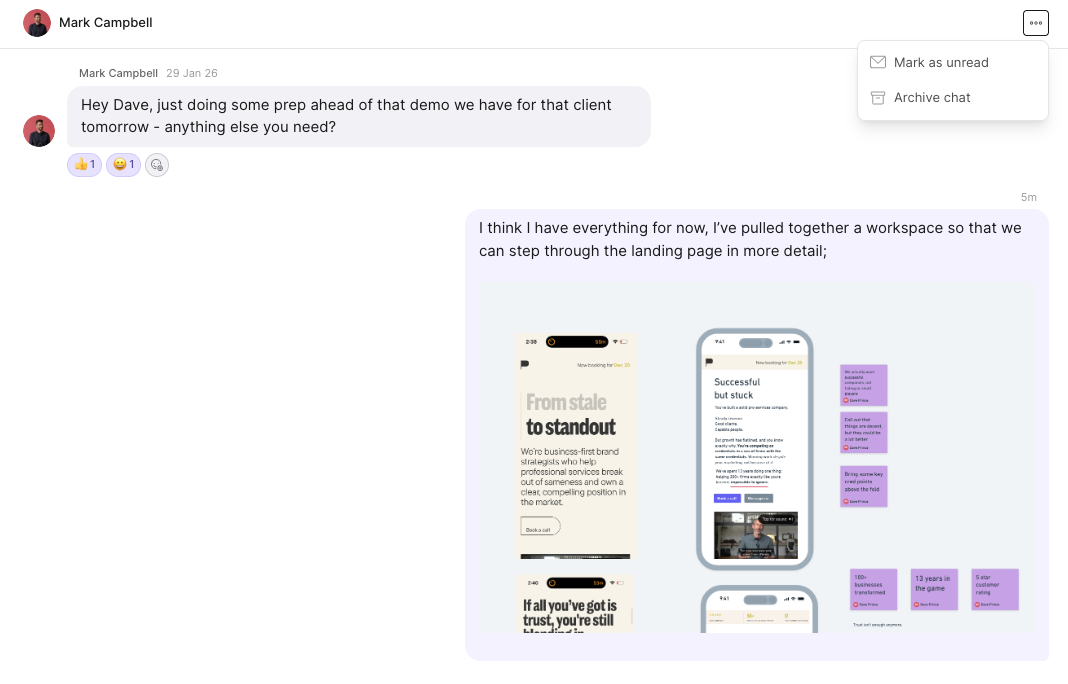
You can mark a conversation as unread if you want to come back to it later. You can also archive a chat using the option in the top-right corner of the conversation.
Archived chats are removed from your main view but are always accessible if you need them.
By default, chat stays quiet.
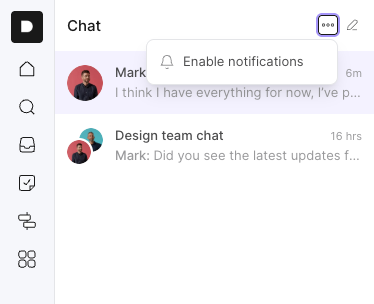
If you’d like more visibility, you can enable email notifications. In the chat sidebar, click the three-dot menu next to the new conversation button and turn notifications on.
When enabled, you’ll receive an email whenever a new message comes through.
Completely optional.
Chat in Outlign is asynchronous, calm by design, and internal to your agency.
It’s there when you need it, and quiet when you don’t.