During a project, there’s often a lot of thinking that happens outside of tasks.
You might run a client call and want to capture detailed notes. You might be working through brand strategy, messaging, or website content. Or you might need a living document that evolves over time and needs discussion, feedback, and collaboration.
That kind of work doesn’t always fit neatly inside a task description.
Project documents give you a dedicated space for this.
You can still summarise key outcomes in a task or step, but keep the detail, thinking, and collaboration inside a document where it’s easier to read, edit, and discuss.
Think of documents as free‑form working spaces that sit alongside your project, rather than inside a single task.
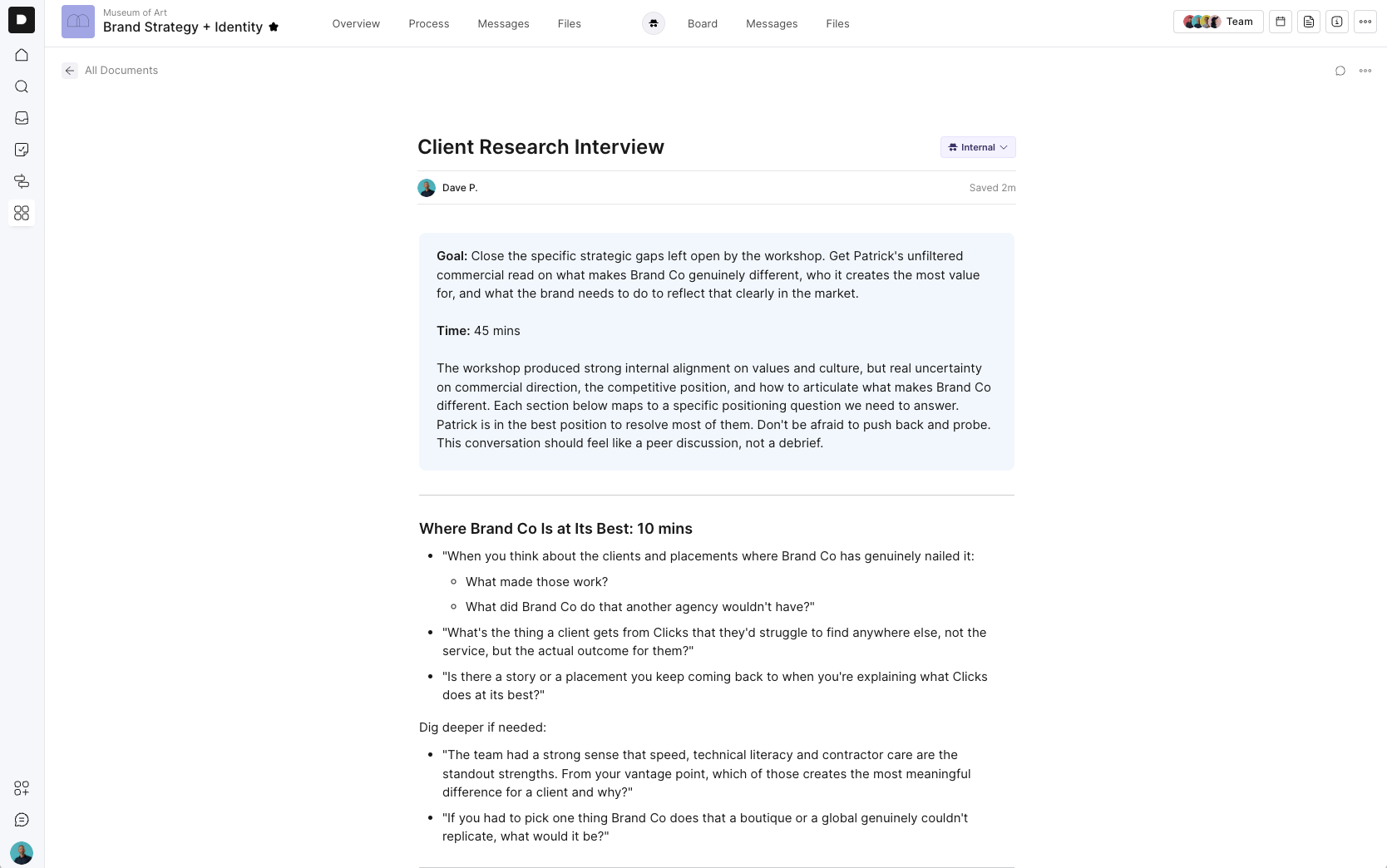
Jump into any project and open the Docs section to create a new document (Top right, docs icon)
Click ‘New Document’
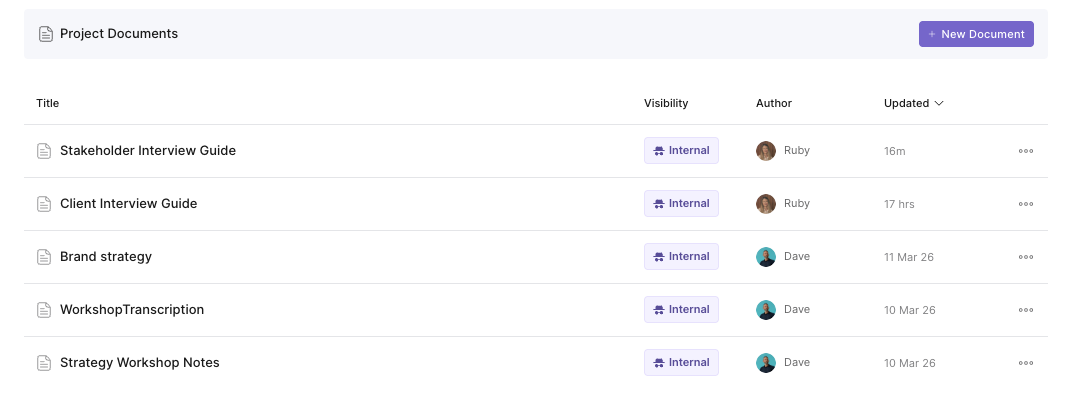
From there, just start typing.
Use / to bring up formatting options like:
Headings
Bullet and numbered lists
Task lists
Quotes and callouts
Code blocks
Media such as files and video
It is fast, flexible, and designed to get out of your way.
Docs are built for collaboration.
Multiple people can jump in and edit at the same time, whether that is your internal team or your client.
Changes are saved automatically, so there is no need to worry about losing work or managing versions manually.
You can leave comments directly on specific parts of a document.
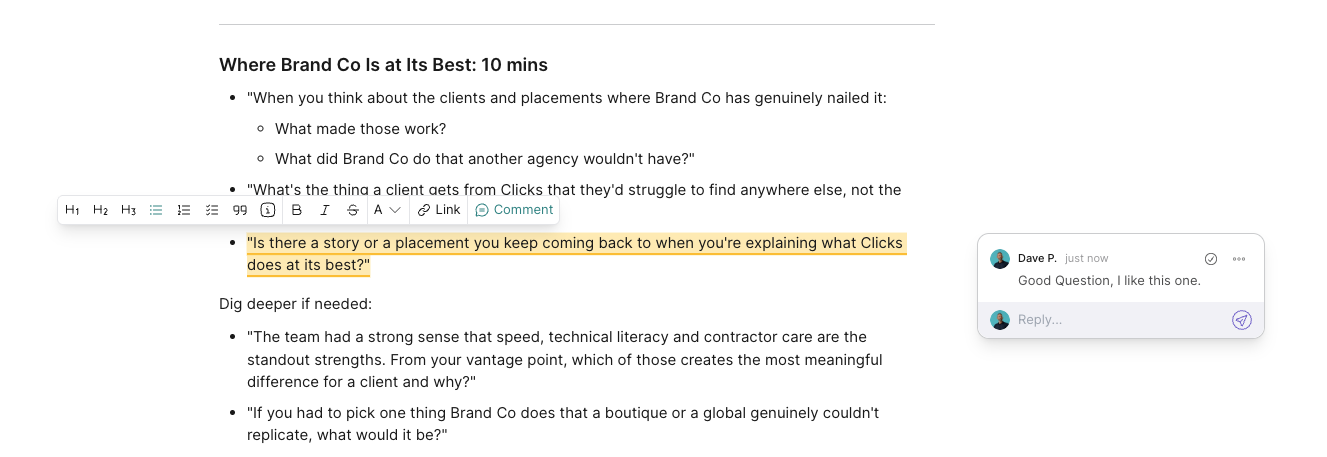
To add a comment:
Highlight any text
Click Comment
Add your note
From there, you can:
Reply to comments
Tag teammates or clients
Resolve comments once they are actioned
This keeps feedback clear, contextual, and easy to manage.
Docs can be shared in different ways depending on how you are working.
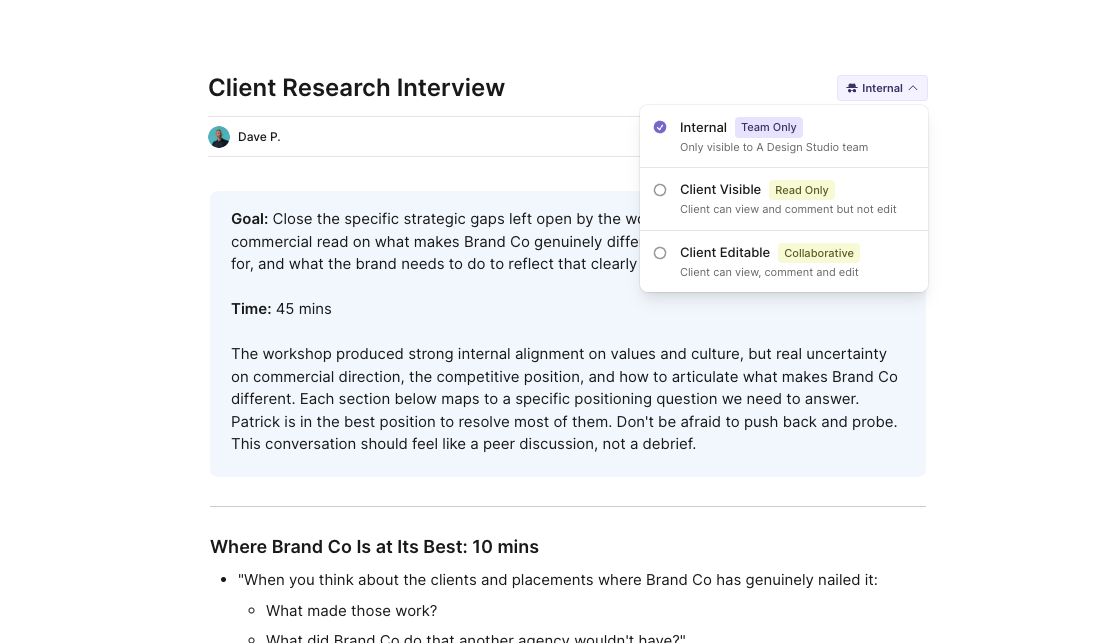
You can choose between:
Internal
Only visible to your team
Client Visible (Read Only)
Clients can view and comment, but not edit
Client Editable
Clients can fully collaborate and make changes
This makes it easy to use Docs for both internal planning and client-facing deliverables.
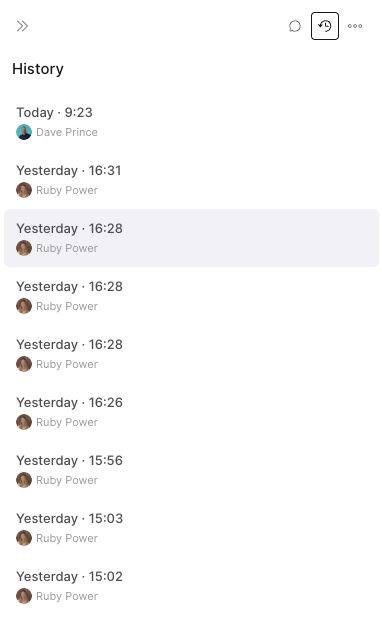
Every change in a Doc is automatically saved and tracked.
You can:
View previous versions
See who made changes
Restore an earlier version if needed
This gives you confidence to move quickly without worrying about losing important work.
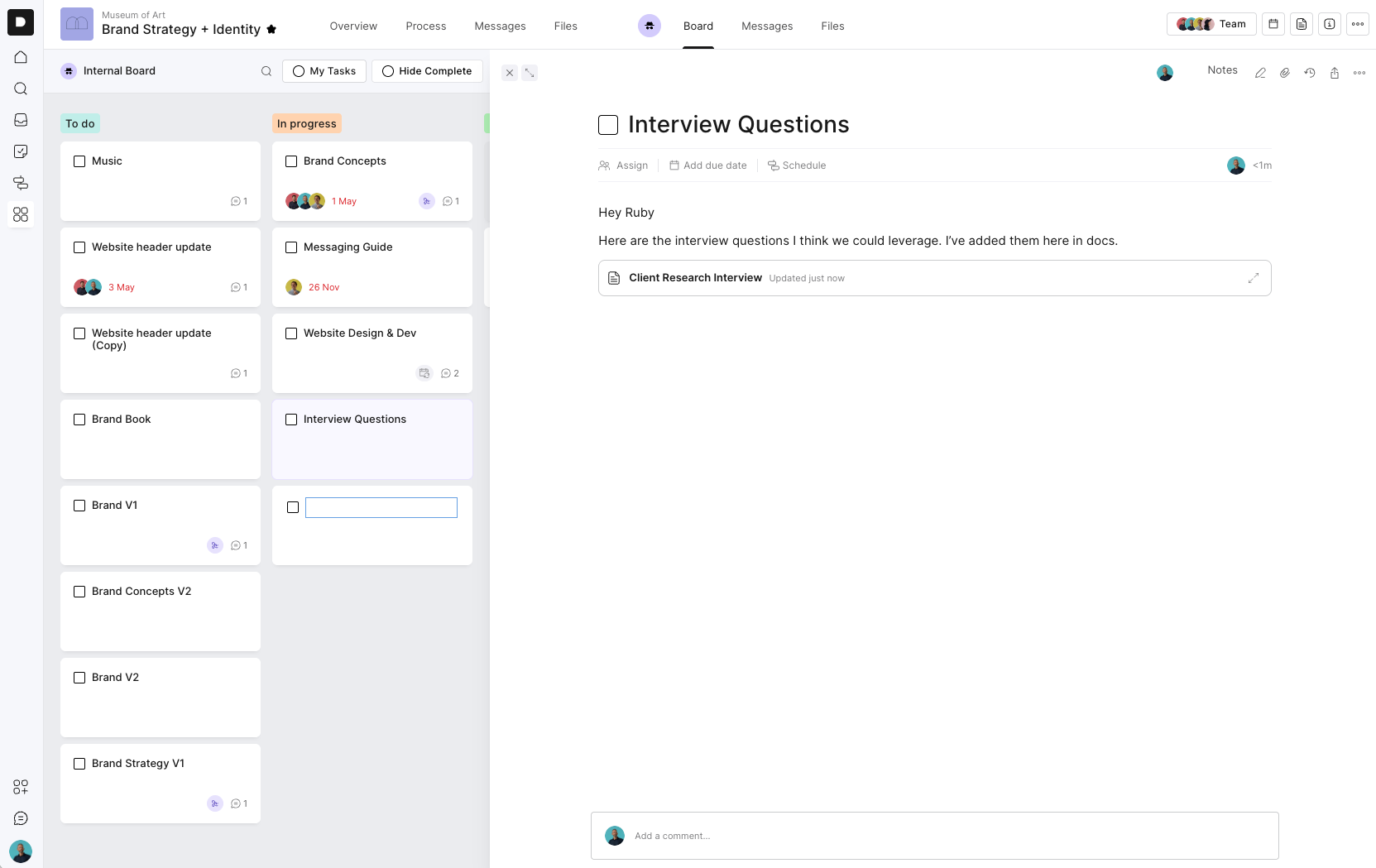
Docs can be used across your project, not just in one place.
You can:
Paste a doc link into tasks or messages to embed it
Pin important docs so they are easy to find
Use docs as a central reference point for your team
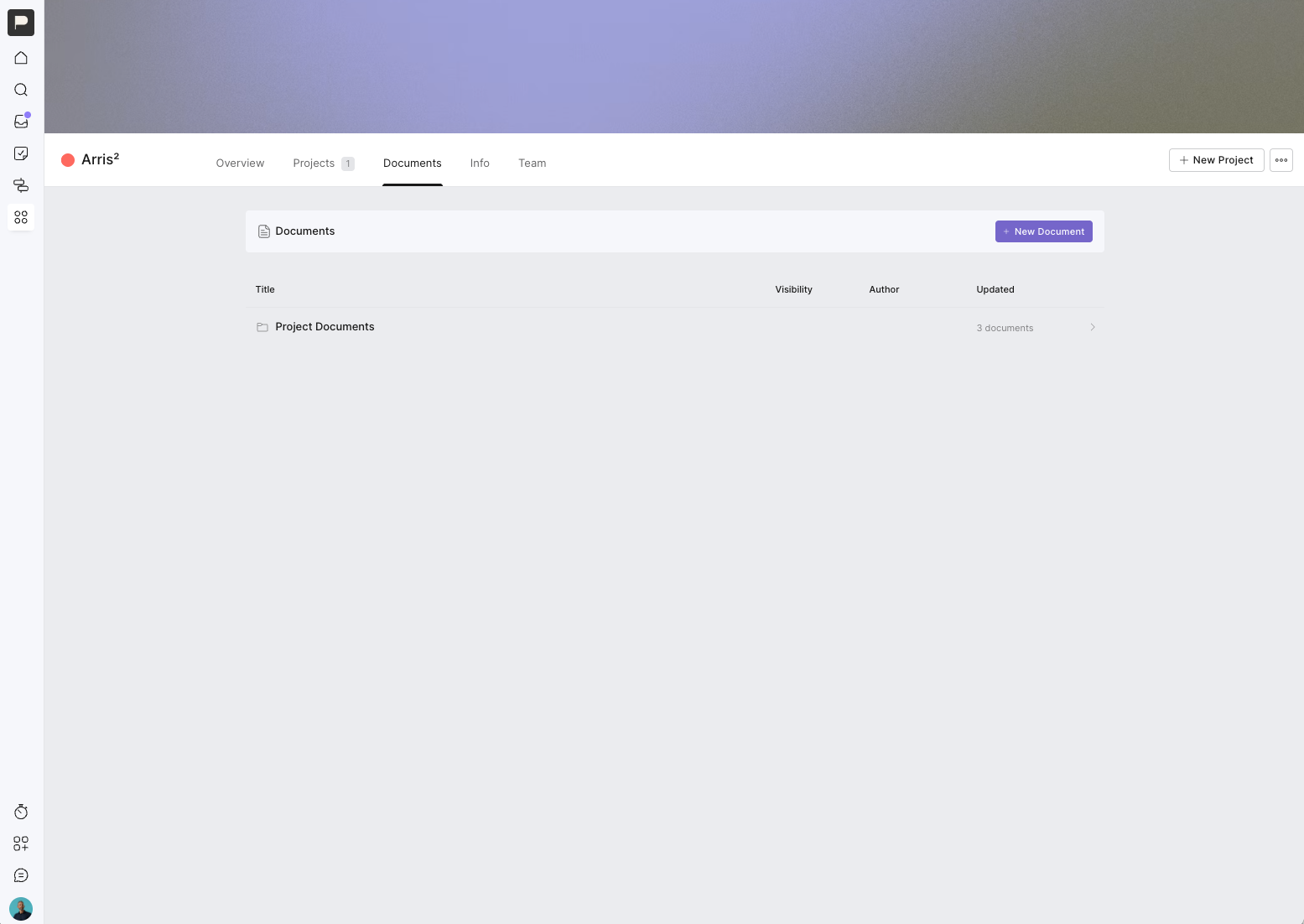
Some documents need to remain available to a client after a project is finished.
You can now move a document to the Client Docs section within the Client Hub. You can do this when creating a new document or by duplicating an existing document and moving the copy to Client Docs.
Documents moved here aren’t tied to the life of a single project. They remain available from the Client Hub even after the original project has been archived.
For example, you might create a set of website or CMS instructions during a website project. At the end of the project, you can move those instructions to Client Docs. Once the project is archived, the client can still open the document from the Client Hub whenever they need it.
This is useful for documents such as:
Website and CMS instructions
Brand guidelines
Ongoing processes
Handover documents
Reference materials the client may need again
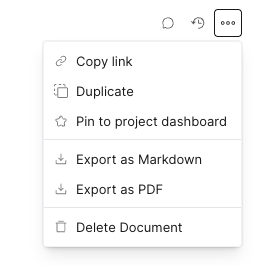
Each document includes a set of quick actions to help you manage and share your work.
You can:
Copy a link to share
Duplicate a doc
Pin it to your project dashboard
Export as Markdown or PDF
Delete when no longer needed
Docs are about keeping everything connected.
Instead of:
Writing briefs in one tool
Managing feedback somewhere else
Tracking tasks in another
You can bring it all together inside Outlign.
Jump into any project and create your first Doc.
Use it for your next brief, strategy session, or internal plan and build from there.
If you have feedback or ideas, we are always keen to hear them.