Out of the box, Outlign is already designed to feel clean & minimal, with very little Outlign branding.
But if you’d like to take that one step further, White Labelling unlocks the next level.
For agencies that care about the finer details, presentation, and creating a premium client journey, it’s a great way to make Outlign feel even more embedded in your business.
Not every agency will need it. But for those wanting a sharper, more branded experience, it’s a strong upgrade.
Once enabled, your agency branding can flow across:
A custom domain (example: projects.youragency.com)
A login page featuring your logo and optional custom hero image
Email notifications showing your brand name and logo
Invite links for new users
Head to:
Settings → Company Settings
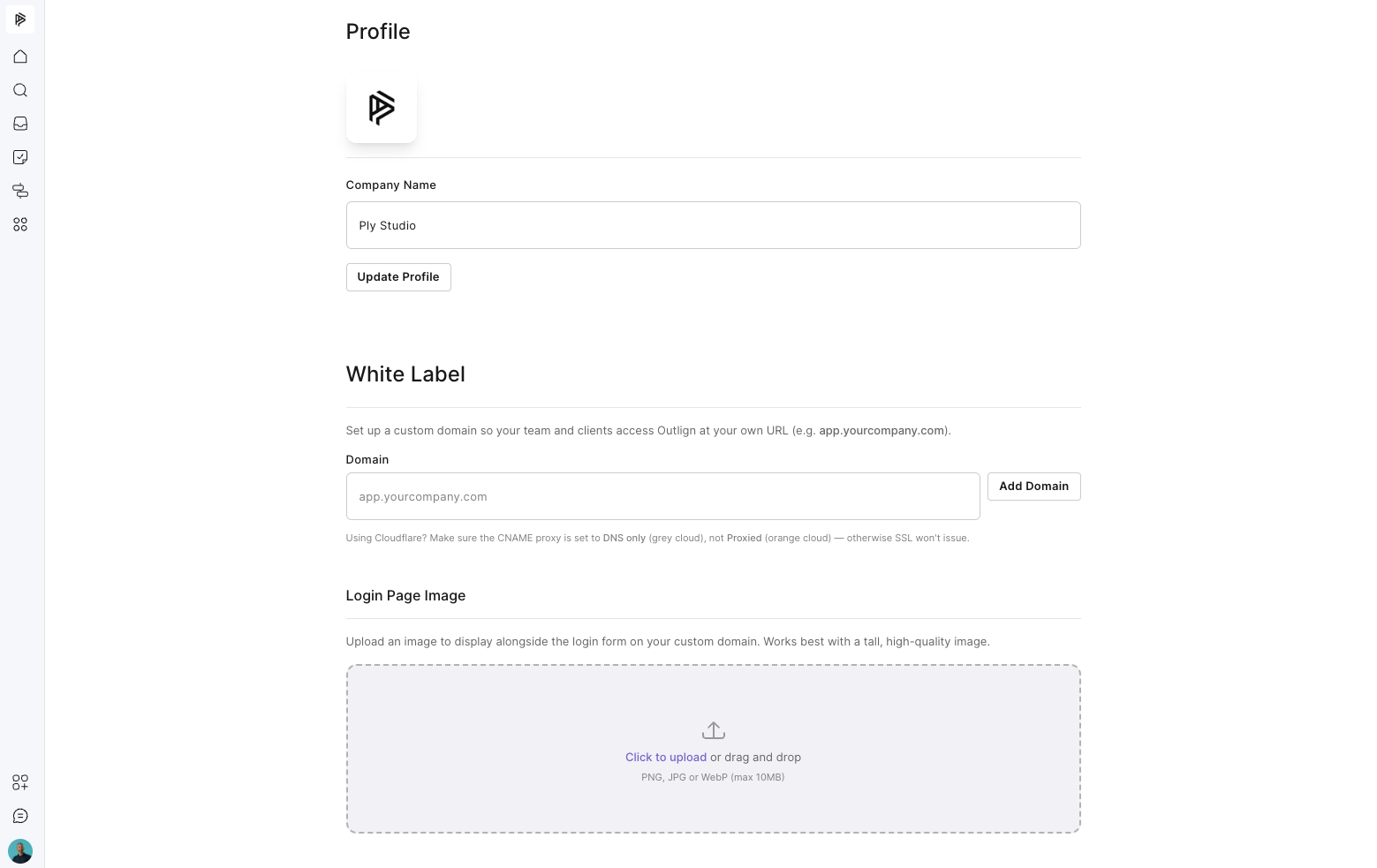
You’ll see the option to purchase the White Label add on. Complete the checkout process to unlock the white label settings.
Note: the option to purchase the white label add-on is only available once you are on a paid Outlign plan, so it is not available during your initial free trial period.
Enter the domain or subdomain you'd like to use.
Example:
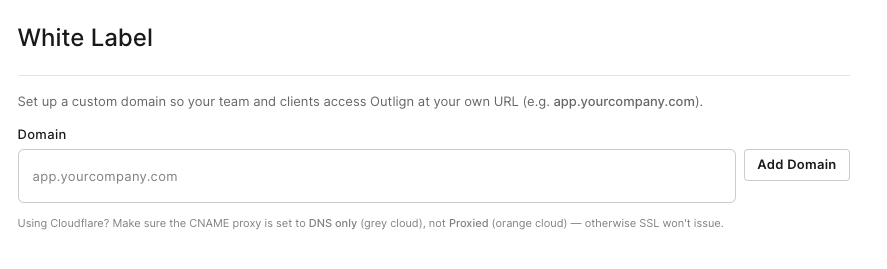
Add the required CNAME record wherever your domain’s DNS is managed. If you use GoDaddy, enter only the subdomain label (for example, `app`) in the host/name field—not the full domain or a duplicated domain. After saving, wait at least 5 minutes for DNS propagation, then click “Check DNS” in Outlign.
If needed, our support team can guide you through this.
You can add an additional hero image to the login page if you like.
Note: your company avatar is the logo that gets used on any white-label areas, so you may want to update that as well.
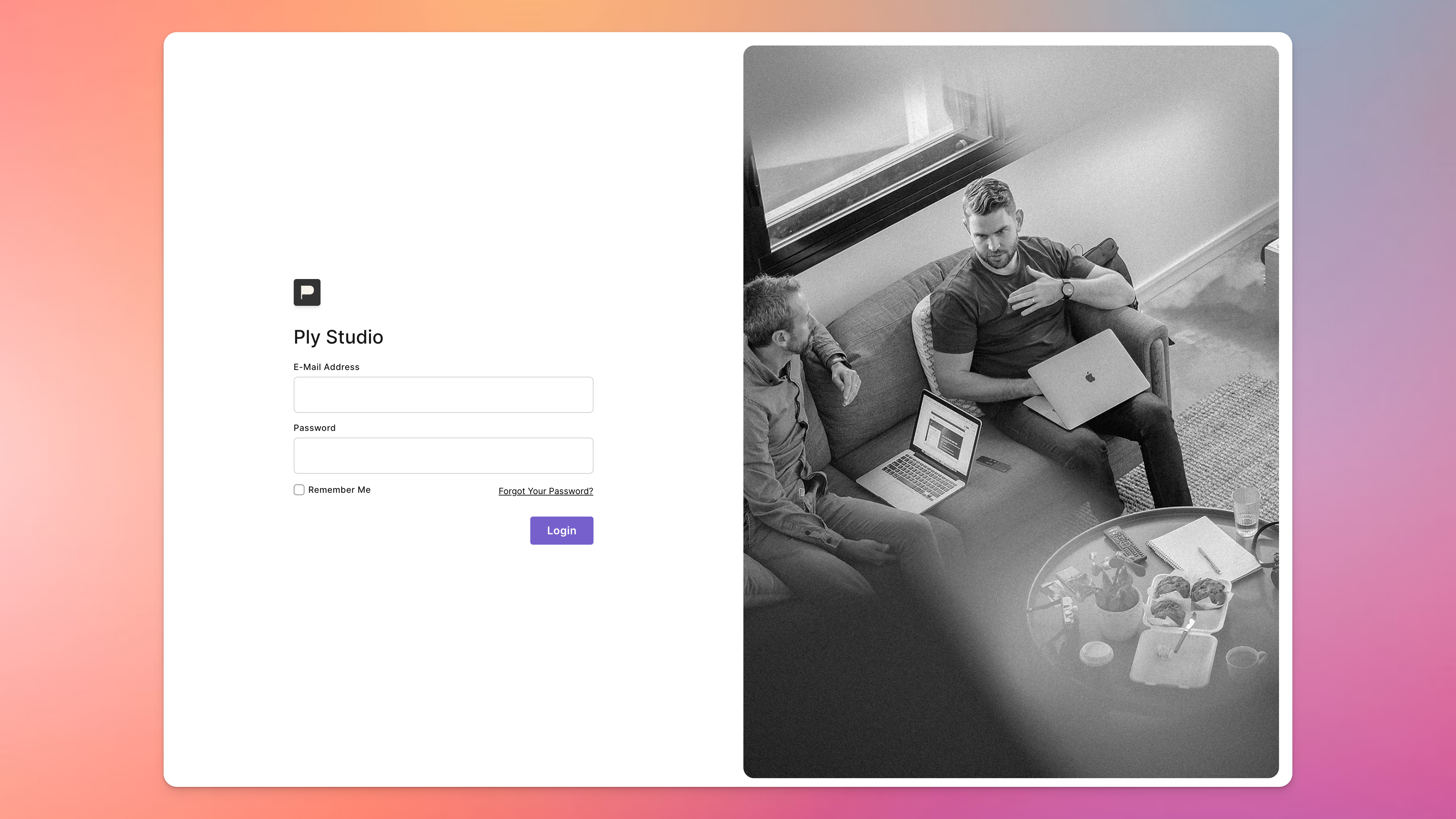
Once connected, your branded workspace will go live.
New Emails Use Your Custom Domain
All future notifications and invite emails will direct users through your branded domain.
New User Invites Are Branded
Anyone invited after setup will join through your custom URL.
Existing Links Still Work
Old links, messages, and bookmarks using your previous Outlign URL will continue to work, so there’s no disruption.
Note:
While White Labelling updates the links, branding, login experience, and client-facing experience, system email notifications will still send from [email protected] as the “from” email address - however the client will see Your Name [Your Company Name] as the “sender” like below - so it will be mostly unnoticeable to clients.

This helps ensure strong email deliverability, security, and reliability across all workspaces while still allowing the emails themselves to reflect your agency branding and custom domain experience. It’s also key to allow the “reply to this email” functionality to work relaibly.
White Labelling is $10 USD per month, per agency.
This appears as a separate line item on your billing statement and operates on its own billing cycle based on when you purchase the add on.
Just to be crystal clear, it is not charged per team member or per seat. It’s one flat monthly fee that covers your entire agency workspace.
We keep this as an optional add-on rather than including it in the standard plan, as not every agency needs custom domains or branded client experiences. This helps keep core Outlign pricing lean for everyone, while giving agencies who want that extra layer of polish the option to switch it on.
You can also cancel White Labelling at any time in the future without affecting your normal Outlign seat subscription.